Continuous video recognition
Identify cards during capture and link them to appearance timestamps.
Identify cards in video or sequential frames and get timestamped results for stock checks, card breaks, and live inventory entry.
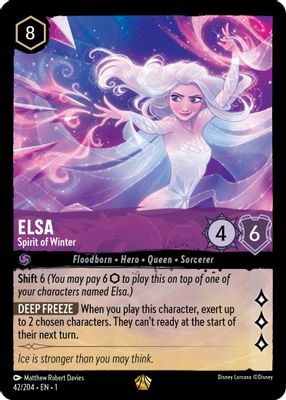
00:01Merged frames: 300:04Merged frames: 2Sample video · Unique cards: 2 · Repeated frames update the same record.
Receive card events without processing duplicate frames.
Identify cards during capture and link them to appearance timestamps.
Combine matches for the same card across adjacent frames to reduce duplicate entries.
Keep key frames and card positions for review, confirmation, and corrections.
Use card IDs, timestamps and recognition status to process new or updated results in your workflow.
Start a session with video or frames. Results include timestamps and session details for locating frames, filtering repeats, and requesting review.
Session tracking IDs help merge results across frames. Your app decides when to save inventory and must distinguish multiple physical copies through quantity and workflow.
Keep representative frames and card positions. Flag blurred or reflective views as unconfirmed; do not auto-save uncertain matches.
Clear inputs and outputs, from capture to confirmation.
Send video or frames from your capture device to start a recognition session.
Recognize cards continuously and link repeated appearances to the same record.
Update review lists from card events, then save to inventory or collections.
Results include timestamps and session data so your app can locate frames, filter duplicates and request review.
Show incoming cards continuously and turn recognition results into a reviewable inventory list.
Explore solutionTurn cards in a video into structured candidates for operator review.
Explore solutionFlip through a binder to capture images and enter collection details together.
Explore solutionImage recognition handles one upload. Video recognition also manages timing, repeat appearances, and merging to connect continuous capture to card records.
Session tracking IDs help merge results across frames. Your app decides when to save inventory and must distinguish multiple physical copies through quantity and workflow.
Keep unclear matches unconfirmed. Request a better angle, lighting, or another view instead of auto-saving uncertain results.
Your app connects a camera or reads video and submits frames. The API returns card data and timestamps for stock checks, live records and replay indexing.
Connect an API, request a key or discuss your data needs.
Tell us what you are building. Let us find the next step.
Define product goals, data scope, and API needs.
Combine recognition, imaging and data.
Once the plan is agreed, we help you get an API key.